
If you want to understand who’s sending authority, referral traffic, or brand signals to a particular URL, learning how to find backlinks to a specific page is essential. This guide walks you through every step — from quick checks you can do in minutes to advanced investigations that reveal the strongest backlinks and link opportunities. Read this as a playbook: practical, actionable, and written for SEO practitioners and site owners worldwide.
Introduction
Backlinks are a major ranking signal and a direct source of referral visitors. When you know exactly which pages link to a specific URL, you can measure the page’s link profile, identify high-value referring domains, recover lost links, spot toxic or spammy links, and design outreach or internal linking strategies that move the needle. Whether you’re auditing a product page, analyzing a blog post, or reverse-engineering a competitor, understanding how to find backlinks to a specific page gives you control over SEO performance and growth.
Quick primer
A backlink to a specific page is any hyperlink from another site that points directly to that URL (not just the domain). A referring domain may link multiple times; each unique link is a backlink. When we talk about the strongest backlinks, we mean links that combine high domain authority or trust, topical relevance, good placement, and anchor text, and the potential to drive clicks and rankings.
Step 1 — Start with Google Search Console (for pages you own)
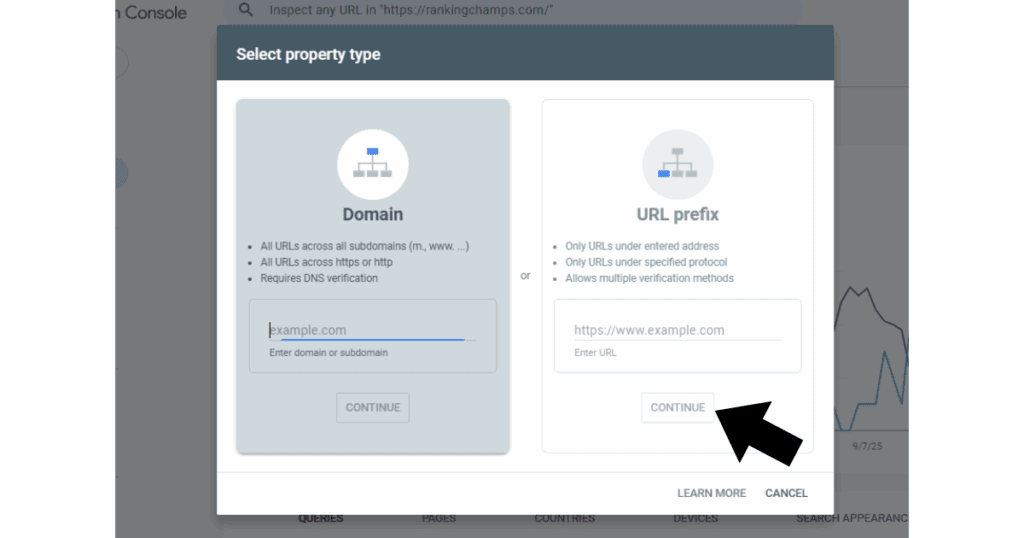
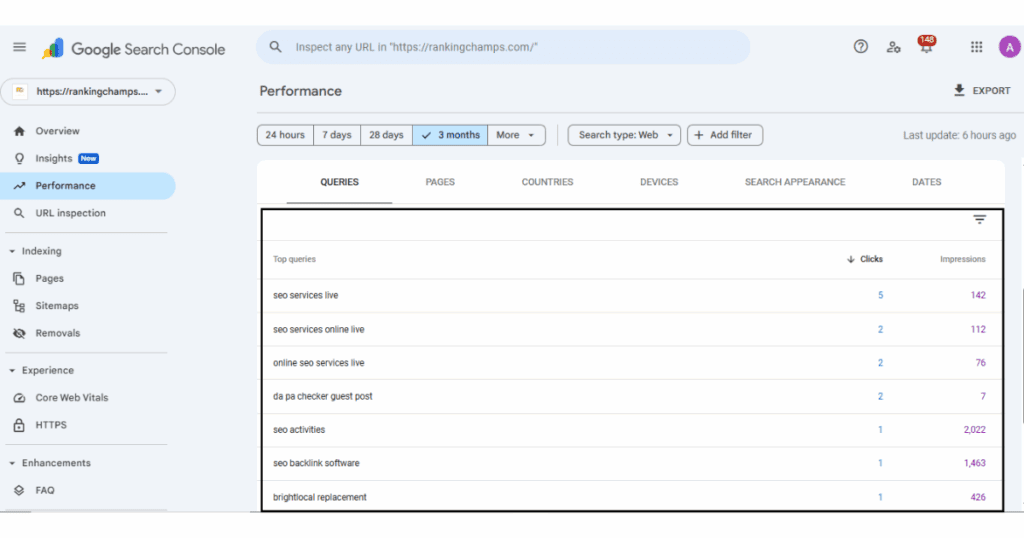
If the page belongs to a site you control, Google Search Console is your first port of call. Open the property for the site, navigate to the “Links” report, and look for external links that point to specific pages. The Search Console data is direct from Google, so it’s authoritative for your own site and reveals which pages Google has seen linking to your URL. Export the list for analysis. Search Console will also show top linking sites and the anchor text Google saw, which helps you prioritize follow-ups or spot incorrect anchors.
Step 2 — Use a commercial link intelligence tool to see competitors’ links
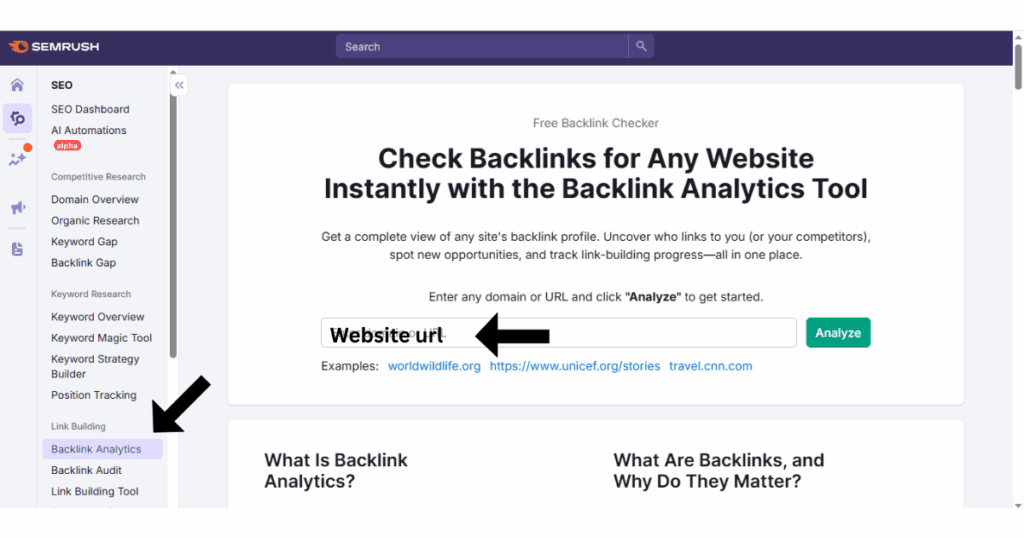
For URLs you don’t own, third-party tools (Ahrefs, Moz, SEMrush, Majestic and similar services) are the standard way to find backlinks to a specific page. Enter the target URL into the tool’s site explorer or backlink report. These tools crawl the web and maintain large indexes, which means they can show links Google may not surface publicly. Use filters to view links that point specifically to the target page, then sort by metrics like domain authority, domain rating, trust flow, or estimated organic traffic to find the strongest backlinks.
Step 3 — Search engine queries and quoting the URL
When you don’t have access to Search Console and you prefer a free approach, use search engines directly. Paste the full URL in quotes in Google (for example, “https://example.com/your-page“) and scan results for pages that include that exact string. This technique finds pages that reference the full URL in their body or in a visible link. Keep in mind that search engine results may show only a sample and the index is not exhaustive, but quoted URL searches are a quick sanity check and sometimes reveal mentions or trackbacks that other tools miss.
Step 4 — Inspect each linking page manually for context and placement
A backlink’s value is not just a metric; it’s context. After you gather referring URLs, open each linking page and evaluate where the link sits (body content, footer, sidebar), the surrounding content’s topical relevance, whether the link is in a list or a natural sentence, and whether the linking page receives traffic. Manually confirming link placement helps you decide which backlinks are truly valuable and which should be deprioritized or flagged for disavowal.
Step 5 — Analyze link strength using meaningful signals
To identify the strongest backlinks you should combine several signals. Look at the referring domain’s authority metrics, the number of other links on the page, the topical closeness between the linking page and your target, the anchor text used, whether the link is followed or nofollowed, and whether the linking page itself ranks or gets organic visitors. Links from high-authority, relevant pages with natural anchor text and body placement are typically the most powerful.
Step 6 — Use link intersect and competitor comparison to discover untapped links
One of the fastest ways to spot valuable link opportunities is a link intersect: compare referring domains of multiple competing pages (or competing sites) to see which domains link to competitors but not to your target. Many backlink tools have a built-in link intersect feature; you can also do this manually by exporting backlink lists and using a spreadsheet to find domains present in competitor lists but missing from your target’s list. Those domains are ripe for outreach because they already link to similar content.
Step 7 — Find broken links and reclaim lost backlinks
Over time pages change and links break. Use a crawler to scan referring pages and check whether the link to your target is returning a correct status code and whether the anchor still points to the exact URL. If you discover links that produce 404s or that previously pointed to a different URL, reach out to the site owner with a friendly request to update the link. Reclaiming a lost backlink is often faster and easier than acquiring a brand-new link.
Step 8 — Find unlinked brand mentions and convert them to links
Not every mention includes a hyperlink. Search for the page title, unique phrases from the target page, or your brand name in quotes to discover unlinked mentions. When you find them, politely ask the author or webmaster to add a link. This tactic increases the backlink count and improves the topical footprint for the specific page.
Step 9 — Monitor and document every backlink discovery
Create a single spreadsheet where you store referring URL, referring domain, anchor text, date discovered, authority metrics, link type (dofollow/nofollow), placement context, and a short notes field about potential outreach. Track link changes over time to spot link decay or sudden influxes that could indicate spam attacks. Regular monitoring helps you keep a clean, high-value backlink profile for the target page.
Deep dive: practical walkthrough (step-by-step, with examples)
Step 1: Identify your target page and capture the canonical URL. Use the canonical value declared in the page source if present. The canonical determines how search engines index and attribute links, so work with the canonical URL when searching tools and search engines.
Step 2: If you own the property, open Google Search Console and export the external links to that page. If it’s an external page, sign in to a link intelligence tool and enter the target URL. In the results, apply a filter for links that point exactly to the target URL rather than the root domain.
Step 3: Sort the inbound links by the tool’s domain authority metric and click into the top referring domains. Open each linking page in a new tab to verify the link’s position and context. Make notes about whether the link is editorial (within content), a footer or sidebar link, or part of a widget.
Step 4: For each linking page, check whether the anchor text is natural and relevant. If the anchor text is spammy, too optimized, or off-topic, mark it for review. If the link is nofollow and you need a follow link for rankings, still record it because referral traffic and brand exposure still matter.
Step 5: Run a link intersect analysis with two or three top competitors. Export their referring domains and compare with your target’s referring domains. Highlight domains that link to competitors but not to your page and add them to your outreach pipeline.
Step 6: Crawl the list of referring pages to confirm link health. Use a crawler or a page status checker to ensure they are live and not blocked by robots.txt or set to noindex. If a link is removed or returns a 404, prepare a recovery outreach message.
Step 7: Use a historical archive like the Wayback Machine to find past versions of referring pages. This helps you see whether the link was previously present and offers evidence for a recovery request.
Step 8: Prioritize the list using a simple scoring system: Authority metric, relevance, placement, and traffic potential. Focus outreach and building efforts on the top tier of links that offer the highest combined score.
How to measure which backlinks are the strongest
The strongest backlinks share a set of qualities. They usually come from authoritative domains, are placed within relevant editorial content, include contextual anchor text, are followed (not nofollowed), and sit on pages with organic traffic. To measure strength, combine a domain metric (Domain Rating, Domain Authority, Trust Flow) with qualitative checks: is the linking page on topic? Is the link near the top of the content? Is the site reputable and free of spam signals? A backlink that scores highly on both quantitative and qualitative fronts is a strong backlink.
Advanced tactics: uncover links that tools miss
Some backlinks are hard to detect because they are generated by JavaScript, hidden behind login walls, or hosted on sites that block crawlers. To catch these, use the browser’s “View Source” and search for the target URL string, or use a headless browser to render the page and search the rendered HTML. Track down social posts or PDF files that include links, and search engines for direct filetype mentions such as the PDF of a report that links to the page. The Wayback Machine may reveal versions of a page that included a backlink in the past.
How to prioritize outreach from discovered backlinks
Once you know which domains link to your target page, prioritize outreach according to impact. High-priority targets are those with editorial links in content that is thematically close to your page, pages that generate traffic, and domains with strong authority. For lower priority or borderline links, prioritize those that are easy wins (e.g., unlinked mentions you can convert, or broken links that can be fixed quickly). Keep outreach messages short, personalized, and value-oriented — remind the site owner why linking to your page benefits their readers.
Common pitfalls when hunting backlinks to a specific page
A few mistakes frequently slow down backlink discovery. First, relying on a single tool will give you an incomplete picture; combine sources when possible. Second, trusting metrics alone without manual verification leads to overvaluing links that sit in footers or link directories. Third, chasing sheer quantity over relevance and placement can create a noisy backlink profile that attracts penalties. Finally, ignoring temporal signals — such as links that once existed but were removed — loses you reclaimed opportunities.
Yoast SEO optimization checklist for this page
Make sure the target page contains the focus phrase naturally in the page title, the first paragraph, at least one subheading, and the final paragraph. Use descriptive meta tags that include the focus phrase early in the meta description. Add internal links from high-authority pages on your site to the target page to pass link equity internally. When you acquire strong external backlinks, reinforce them with helpful content updates and additional internal links so the page maximizes the value of incoming links. Also ensure images on the page have descriptive alt text and that the URL structure is clean and uses the canonical.
Practical examples of search queries that help find backlinks
To find exact matches, put the full URL in quotes on Google. To find pages that mention the page title rather than the URL, search the title in quotes. To find unlinked mentions, search the brand name or unique phrase combined with content words. When you find potential pages, open them and verify whether they actually link, whether the link is accessible to crawlers, and whether it is in a place that adds real SEO value.
Using spreadsheets to manage discovery and outreach
After exporting backlink lists from Search Console and third-party tools, consolidate them into a central spreadsheet. Create columns for the referring page, referring domain, authority score, anchor text, link type, link placement notes, outreach status, and date last checked. Use filters to find quick wins, such as pages that mention your brand but don’t link, or pages that point to a competitor but not to you. Keeping everything in one place accelerates outreach and makes it easy to hand the list to a colleague or agency.
When to consider disavowing links
Disavow only when you find links that are clearly spammy, come from networks of low-quality sites, or show signs of manipulation that could harm rankings. For pages you own, use Search Console’s disavow tool cautiously and only after attempting removal. Document your reasons for disavowal and keep evidence of attempts to contact webmasters first.
Conclusion
Now that you know how to find backlinks to a specific page, pick a target URL and run the steps above: check Search Console (if you own the site), scan with a link intelligence tool, verify links manually, prioritize the strongest backlinks, and act — reclaim broken links, convert unlinked mentions, and reach out to domains that link to competitors. Tracking and improving a page’s backlink profile is an ongoing process, but the payoff in rankings, traffic, and credibility is tangible. If you’d like, I can help you audit one page’s backlinks step-by-step and prepare an outreach plan based on the strongest opportunities.
FAQ
What is the easiest free method to find backlinks to a specific page?
The easiest free method is to paste the full target URL in quotes into Google and scan results for pages that reference the exact URL. If the page is yours, Google Search Console provides the best free data for links to your pages.
Can I see all backlinks to a competitor’s page?
No single source will show every backlink, but commercial tools that crawl the web give large, useful samples. Combining multiple sources will give a more complete picture, and manual checks (search queries, visiting likely referring sites) help fill gaps.
Is the Google “link:” operator useful?
The “link:” operator is unreliable and generally returns only a small sample. It’s not a dependable method for a complete backlink audit; use modern link intelligence tools and Search Console where possible.
How often should I check backlinks to a specific page?
Check major changes quarterly and audit priority pages monthly. If you run active campaigns or notice ranking shifts, check more frequently. Ongoing monitoring ensures you catch lost links, spam attacks, or new high-value links quickly.
How do I identify the strongest backlinks among a long list?
Look for a combination of high domain authority, topical relevance, editorial placement inside content, natural anchor text, and referring page traffic. Prioritize links that score well across those dimensions because they are the ones most likely to move search visibility and drive clicks.
What do I do if I find links that are harmful?
Attempt to contact the site owner and request removal. If removal is not possible and you control the target site, disavow the links via Google Search Console only after careful consideration and documentation.

James Robert
James Robert is a seasoned Off-Page SEO expert specializing in strategic link building, digital outreach, and authority growth for businesses aiming to improve search visibility and rankings. With over five years of hands-on experience, he helps brands strengthen their online presence through high-quality backlinks, niche-relevant placements, and ethical SEO practices aligned with Google’s guidelines. James’s core specialties include guest posting, blogger outreach, niche edits, brand mentions, and backlink profile optimization. He is highly skilled at building relationships with authoritative publishers and executing scalable outreach campaigns that drive long-term organic growth. As a contributor to leading marketing platforms, James regularly shares actionable insights on off-page SEO strategies, link acquisition, and sustainable ranking improvements, helping businesses achieve consistent and measurable SEO success.