
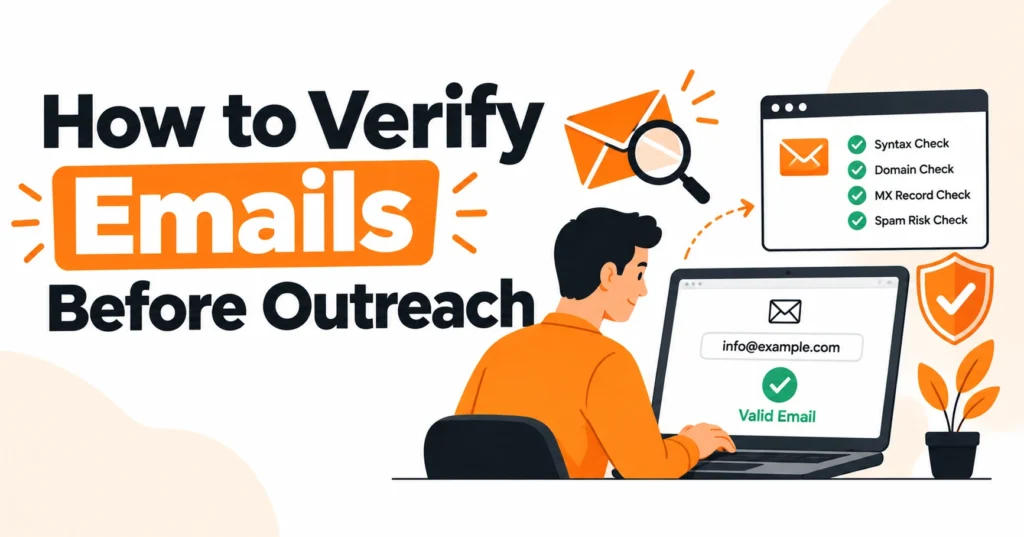
Learning how to verify emails before outreach is essential for anyone who wants to run successful cold email campaigns and connect with the right prospects. Sending messages to invalid addresses can increase bounce rates, damage sender reputation, and waste valuable time.
By using reliable email verification tools, you can check address formatting, validate domains, examine MX records, and identify potentially undeliverable contacts before launching a campaign. Proper email validation also helps maintain a clean prospect database and improve outreach efficiency.
Whether you are a marketer, sales professional, or link-building specialist, understanding email deliverability and list hygiene helps you build more reliable campaigns and achieve better results.
What Is Email Verification?
Email verification is the process of assessing whether an email address is correctly formatted, associated with a functioning domain, and likely to accept incoming messages.
It can identify malformed addresses, nonexistent domains, disposable email accounts, and other potential delivery problems before an outreach campaign begins.
Email validation and email verification are often used interchangeably, although some providers distinguish between them. Validation commonly focuses on syntax and domain configuration, while verification may include additional mail-server checks.
Neither guarantees that an inbox is actively used, that the intended person controls it, or that a message will reach the recipient’s inbox.
Why Should You Verify Emails Before Outreach?
A clean prospect list reduces avoidable delivery failures and helps protect your sending infrastructure. Repeated hard bounces can negatively affect sender reputation, while poor contact data makes campaign performance more difficult to measure accurately.
Email verification also helps sales teams, agencies, freelancers, and outreach specialists use their time more efficiently.
By removing confirmed invalid addresses and investigating uncertain records, you can focus on relevant prospects instead of repeatedly contacting unusable addresses.
Verification works best alongside relevant targeting, personalized messages, proper email authentication, and ongoing deliverability monitoring.
How to Verify Emails Before Outreach: 8 Essential Steps
1. Collect Email Addresses From Reliable Sources
Start with relevant contact information gathered from legitimate business websites, company contact pages, professional profiles, and reputable prospect databases.
Confirm that each address belongs to the organization or individual you intend to contact and that the contact is relevant to your outreach objective.
Avoid assuming that an old spreadsheet or purchased list is accurate. People change jobs, businesses change domains, and abandoned inboxes can become undeliverable.
Record when and where contact details were collected so you can identify outdated data and maintain a more reliable prospect database.
2. Check Email Syntax and Formatting
Syntax validation is the first and simplest verification step. Check for missing characters, accidental spaces, duplicated punctuation, and spelling errors in the local part or domain.
For example, alex@exmaple.com may contain a typo if the intended domain is example.com.
Correctly formatted addresses should move to the next verification stage. However, a valid format does not prove that the domain exists or that the recipient’s mailbox is active.
Syntax checks are useful for removing obvious mistakes, but they cannot establish deliverability on their own.
3. Confirm the Domain and DNS Configuration
Check whether the domain exists and whether its DNS records indicate that it can receive email. A mail exchange (MX) record identifies the mail server responsible for accepting messages for a domain.
Some domains use alternative configurations, so the absence of an MX record should be interpreted alongside other DNS information.
A domain may exist even when a specific recipient address is invalid. Likewise, a domain can have correctly configured mail servers while restricting external verification requests.
Domain and MX checks therefore establish useful technical context, but they do not independently confirm that an individual inbox exists.
4. Use SMTP Verification Where Available
Simple Mail Transfer Protocol (SMTP) verification attempts to communicate with a recipient’s mail server and interpret its response.
Depending on the server and verification service, these checks may provide evidence about whether an address is likely to accept messages.
The results are not always definitive. Some providers restrict recipient-level checks, use anti-abuse measures, delay responses, or accept messages without confirming individual mailboxes.
Treat SMTP verification as one source of evidence rather than a guarantee, and avoid repeatedly probing mail servers in ways that may violate their policies.
5. Detect Disposable, Role-Based, and Risky Addresses
Disposable email addresses are temporary accounts that may stop working after a short period. They can be unsuitable for long-term business communication, although their relevance depends on the campaign’s purpose and audience.
Role-based addresses, such as info@example.com, sales@example.com, and support@example.com, are associated with a function rather than a particular person. They are not automatically invalid, but they may be less suitable when your goal is to reach a named decision-maker. Review them according to your campaign requirements instead of removing every role-based address indiscriminately.
6. Run a Bulk Email Verification Check
Bulk email verification is useful when you need to process hundreds or thousands of prospect addresses. Most tools accept a CSV file, run supported validation checks, and return a report containing results such as valid, invalid, catch-all, risky, or unknown.
Before uploading your database, review the provider’s privacy, security, retention, and data-processing practices. After the check finishes, download the results, preserve the original dataset securely, remove confirmed invalid addresses, and route uncertain records for further review. This creates a repeatable workflow for maintaining email list hygiene.
7. Interpret Verification Results Correctly
Verification labels can differ between providers, so always consult the tool’s definitions. A valid result generally indicates that available checks support likely deliverability. An invalid result means that one or more checks failed, while a catch-all result indicates that the domain may accept mail for addresses whose individual mailbox status cannot be confirmed.
Risky and unknown results require additional care. They may reflect temporary technical problems, restrictive server configurations, or incomplete evidence. Instead of automatically treating these addresses as safe, investigate the source, look for a more reliable contact, or exclude the address when the uncertainty is too high.
8. Clean the List and Perform a Final Review
After verification, remove confirmed invalid records, correct obvious typos, merge duplicates, and standardize the formatting of your database. Check that every contact is relevant to your campaign and that your outreach follows applicable privacy, marketing, and anti-spam requirements.
Before sending, confirm that your sending domain has appropriate authentication and that your campaign is configured responsibly. Understanding how to verify emails before outreach means using verification data to make informed decisions, not assuming that a tool’s valid label guarantees successful delivery.
Email Verification Methods Compared
Different methods detect different types of problems. Combining several checks usually provides a more useful assessment than relying on one method alone.
| Verification method | What it checks | Main limitation |
| Syntax validation | Email structure and formatting | Cannot confirm mailbox existence |
| Domain and DNS checks | Domain configuration and availability | A functioning domain may contain invalid addresses |
| MX record lookup | Mail-routing configuration | Does not prove that an individual inbox exists |
| SMTP verification | Mail-server responses | Servers may block or obscure recipient checks |
| Disposable email detection | Known temporary email providers | Detection databases may be incomplete |
| Bulk email verification | Multiple addresses in one workflow | Results depend on the provider’s methods |
| Manual review | Context, relevance, and obvious errors | Requires time and human judgment |
For most businesses looking to build authority in a new niche, a combination of high-quality content, strategic link building, and consistent audience engagement provides a practical balance between visibility and credibility. The right approach depends on the competition level, available resources, target audience, and the time required to establish trust and demonstrate expertise.
What Do Email Verification Results Mean?
Valid Email Address
A valid result generally means the service found sufficient evidence to classify the address as likely deliverable. It does not guarantee that the intended person still uses the account, that the contact is relevant, or that your message will reach the inbox rather than a spam folder.
Keep valid addresses for further checks, including contact relevance, duplicate detection, and campaign suitability. Actual delivery performance should still be monitored after sending.
Invalid Email Address
An invalid result indicates that a relevant check failed. Possible causes include incorrect syntax, a nonexistent domain, missing mail-routing configuration, or a recipient rejection.
Remove confirmed invalid addresses or correct them when a reliable source identifies the mistake. If the tool provides a specific reason for failure, review that information before deciding whether the record can be recovered.
Catch-All Email Address
A catch-all domain may accept messages sent to many recipient addresses, including addresses that do not correspond to individual mailboxes. This makes it difficult for verification tools to confirm whether a specific recipient exists.
Do not automatically classify catch-all addresses as valid or invalid. Consider the importance of the contact, seek confirmation through a reliable business source, and decide whether the uncertainty is acceptable for your campaign.
Risky, Unknown, or Unverifiable Address
These labels generally indicate that the service has identified a potential problem or could not reach a confident conclusion. The exact meaning depends on the provider and its verification process.
Review the available evidence, try again later if a temporary server issue is plausible, or find an alternative contact address. If the uncertainty remains unresolved, excluding the record is often safer than treating it as confirmed deliverable.
Best Email Verification Tools for Cold Outreach
The right email verification service depends on how you collect contacts and manage campaigns. Some platforms focus on single-address checks, while others offer bulk email validation, real-time verification, API access, and integrations with customer relationship management systems.
Compare tools based on supported verification methods, result transparency, processing limits, integration options, pricing, data security, and retention policies. Test a representative sample before processing your entire database, and evaluate whether the service explains uncertain results clearly.
Remember that an email finder and an email verifier serve different purposes. An email finder helps discover potential contact addresses, whereas a verification tool assesses the quality and potential deliverability of addresses you already have. Some platforms provide both capabilities, but finding an address does not automatically verify it.
How to Reduce Email Bounce Rates After Verification
Verification reduces some preventable failures, but bounce prevention requires ongoing attention. Use reliable contact sources, remove confirmed invalid addresses, monitor delivery reports, and recheck older records when the data may have become outdated.
Authenticate your sending domain using SPF, DKIM, and DMARC where appropriate, and maintain relevant, responsibly targeted campaigns. Monitor hard bounces, soft bounces, spam complaints, and engagement patterns to identify problems that verification tools cannot detect. Avoid aggressive sending practices, and follow the applicable rules for commercial email in your target markets.
Common Email Verification Mistakes to Avoid
One major mistake is assuming that every valid result represents an active, human-operated mailbox. Syntax checks, DNS records, and SMTP responses provide different types of evidence, and none independently guarantees inbox placement or recipient engagement.
Another mistake is ignoring catch-all and unknown results, repeatedly checking addresses without a clear reason, or relying on old contact data indefinitely. Build a consistent process for reviewing uncertain records, cleaning duplicates, and refreshing outdated contacts. This is more effective than treating verification as a one-time task.
How Often Should You Verify Your Email List?
Verify new contacts before adding them to an outreach campaign, particularly when they come from older databases or sources with inconsistent data quality. Review the list again before future campaigns, and re-verify addresses when enough time has passed for contact details to become outdated or when bounce reports reveal potential problems.
There is no universal verification schedule for every business. A rapidly changing sales database may require more frequent checks than a small, carefully maintained prospect list. Use the age of the data, its source, historical delivery results, and campaign frequency to establish a suitable maintenance routine.
Email Verification Checklist Before Sending Outreach
Before launching a campaign, confirm that the list has been checked for formatting errors, domain problems, duplicates, and confirmed invalid addresses. Review the verification provider’s results and investigate catch-all, risky, and unknown records rather than automatically approving them.
Next, confirm that contacts are relevant, your sending domain is properly authenticated, and your campaign complies with applicable privacy and anti-spam requirements. Monitor actual delivery outcomes after sending and use those findings to improve your next verification cycle.
Frequently Asked Questions
How can I verify an email address for free?
You can inspect its formatting, check domain and MX records using DNS lookup tools, and use email verification services that provide free checks. Free plans may have usage limits or fewer features than paid options.
Can I verify an email address without sending a message?
Yes. Syntax validation, DNS checks, and some SMTP verification services can assess an address without sending a normal message to the recipient. However, restrictions imposed by receiving servers can prevent a definitive result.
Does email verification guarantee inbox delivery?
No. Verification estimates whether an address is likely to accept messages. Inbox placement also depends on sender reputation, authentication, message content, recipient engagement, and receiving-provider filtering.
What is the difference between email validation and email verification?
Email validation often refers to checking address syntax and domain configuration. Email verification may include additional checks intended to assess whether an address is likely to accept messages. The terms overlap, and individual providers may define them differently.
Should I send cold emails to catch-all addresses?
Not automatically. Catch-all results make it difficult to confirm individual mailbox existence. Review the relevance of the contact, seek a more reliable address where possible, and consider the uncertainty before including the record.
How can I verify thousands of email addresses at once?
Use a bulk email verification service that supports CSV uploads or an API. Check the results for invalid, valid, catch-all, risky, and unknown addresses, then clean and review the list before importing approved contacts into your outreach platform.
How often should I clean my prospect list?
Review your list before every campaign and re-verify older records when their age, source, or delivery history raises concerns. The appropriate schedule depends on how quickly your contact data changes and how well it is maintained.
Can email verification reduce hard bounces?
Yes. Email verification can help identify addresses likely to generate hard bounces, such as addresses with invalid domains or nonexistent recipients. It cannot eliminate every bounce because mailboxes, domains, and server policies can change after verification.
Conclusion
Learning how to verify emails before outreach helps you identify invalid addresses, interpret uncertain results, and maintain a cleaner prospect database. Combine syntax validation, DNS and MX checks, SMTP verification, and reliable email verification tools with regular list maintenance and responsible sending practices. Although verification cannot guarantee inbox placement, it can reduce avoidable delivery risks and improve the quality of your outreach workflow. By checking contacts before each campaign and monitoring real delivery results, you can protect sender reputation, save time, and focus on reaching relevant prospects.

James Robert
James Robert is a seasoned Off-Page SEO expert specializing in strategic link building, digital outreach, and authority growth for businesses aiming to improve search visibility and rankings. With over five years of hands-on experience, he helps brands strengthen their online presence through high-quality backlinks, niche-relevant placements, and ethical SEO practices aligned with Google’s guidelines. James’s core specialties include guest posting, blogger outreach, niche edits, brand mentions, and backlink profile optimization. He is highly skilled at building relationships with authoritative publishers and executing scalable outreach campaigns that drive long-term organic growth. As a contributor to leading marketing platforms, James regularly shares actionable insights on off-page SEO strategies, link acquisition, and sustainable ranking improvements, helping businesses achieve consistent and measurable SEO success.